
A Workflow for Trusting AI Code at Scale
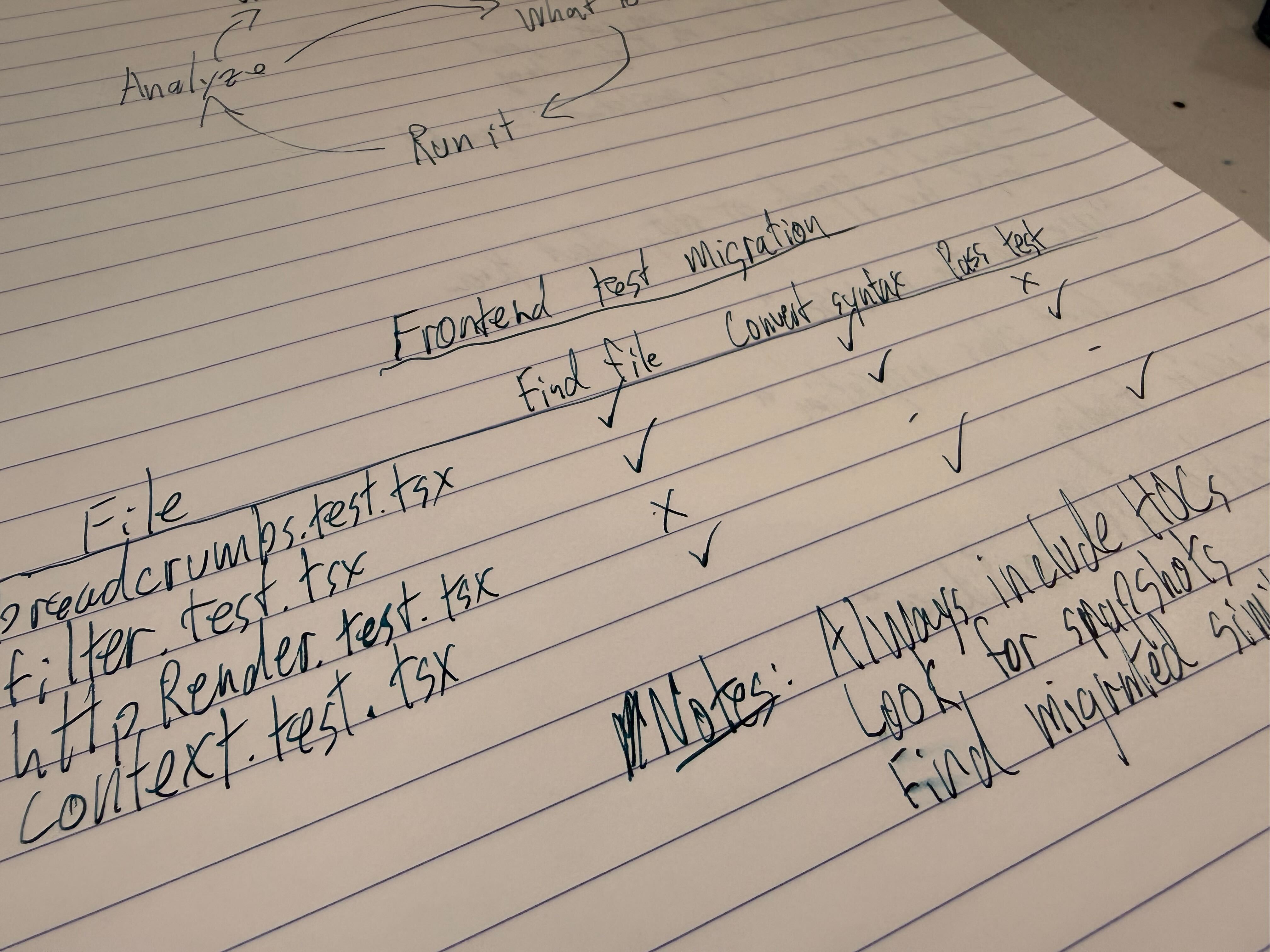
When a teammate opens a PR, the work is 90% done. You’re reviewing for architectural blind spots and gentle style alignments. Sometimes there’s real work left, but most of the time, the code is basically ready to go.
When an AI opens a PR, that’s not true. The work is maybe 10% done. The code probably builds and lints, but (correctly) nobody trusts it. Review is the start of the real work.
This is the central problem of AI code migrations: a bot can change 500 files overnight, but you’re left with 50,000 lines of potential garbage to review. Practically, you’re no closer to done than the day before, and now you’re overwhelmed.
As an aside: migrations are an overloaded term. Some practical examples:
- Rewriting Enzyme tests to RTL
- Updating
save()withupdate_fieldsfor Django 4.2 - Updating from vanilla JS to Typescript
Better models don’t solve this. The solution is a workflow that allows a human to build trust in what the AI will do, quickly. This is what we’re building at Tern, but this is a pattern that anybody can use. (Airbnb did.)
Find what needs doing
When you’re facing 500 files you don’t trust, your first goal is to understand. You need to turn an overwhelming problem into a measurable system.
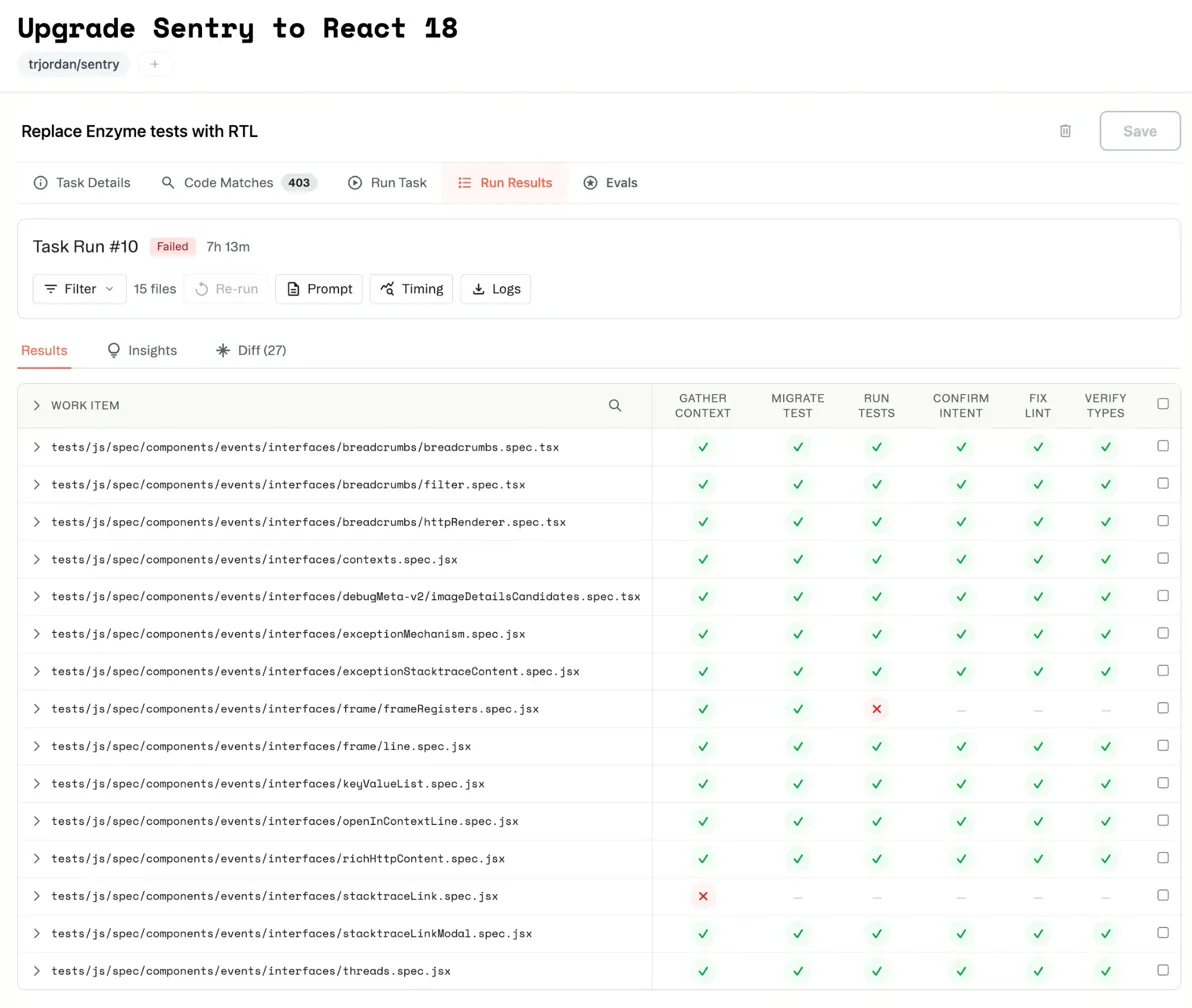
Basically: a spreadsheet. Spreadsheets are better than todo lists because they have columns. You can attach metadata to them, building your understanding as you work.
Start by finding the call sites, e.g. the initial list of 403 files that import the old API. You run a quick pass to tag complexity. Eyeball a few and mark them easy/medium/hard. Maybe 50 of them don’t need changes at all: the import is there but unused. That’s metadata now. You haven’t started the migration; you’ve just gotten smarter about the problem.
This inventory is where your workflow starts and evolves. When you run your automated transformation, results come back to the same place. This file has an open PR, that one failed at step 2, these twelve haven’t been touched yet. The spreadsheet fills up with data about where you are.
It’s your system of record and the jumping-off point for everything you do to build trust in the automated output.
- “How hard is this?” look at the inventory
- “Is my workflow handling async tests?” filter the inventory.
- “What’s ready to ship?” it’s all right there.
- “When will it be done?” Q3, boss, I drew you a burndown.
Armed with a spreadsheet, you can write a prompt.
The Prompt is a Program
It’s easy to treat a prompt like a one-time wish: “Please migrate this code and make it good.”
But when transforming hundreds of files, your prompt functions as a program. It executes repeatedly at scale, and like any program, it demands structure.
Single text-only prompts fail for large-scale tasks. Migrations require stages: gathering context, applying the transformation, validating, and fixing errors. Condensing this into one prompt overloads the AI, making it impossible to debug failure.
Structured workflows explicitly separate the work:
Step 1: Gather Context
  → Find component source, existing helpers, HOCs

Step 2: Migrate Test
  → Apply transformation using cached context
  → Validation: ! grep -q "mountWithTheme" {file}

Step 3: Run Tests
  → Get the test passing
  → Validation: CI=true yarn test {file}

Step 4: Confirm Intent
  → Verify functionality matches the original
(Tern structures this as lightweight markdown structure in text.)
Each step gets clean context and a focused objective. Validation can be deterministic commands or a separate LLM-as-judge, depending on the complexity required. When something fails, you know the exact step and cause.
This is not chatting with a bot. It is building a system. You define the execution logic once, then apply it across the entire codebase.
Iterate the process, not review the code
Here is the counterintuitive part: you don’t build confidence by manually reviewing every file. You build it by understanding, and eliminating, your workflow’s failure modes.
Start by trying a few. The goal is not to review the files, but to see patterns.
- If Step 2 succeeds but Step 3 fails on files with async tests, that’s one workflow problem. Your instructions don’t handle async patterns. Fix the instructions, and run the batch again.
- If the tests pass, but diffs show the AI using getByTestId excessively, it’s not idiomatic. Add a rule: “Prefer semantic queries. Only use getByTestId as a last resort.” Run again.
- If the AI is “passing” tests by deleting assertions, add a validation check for coverage drop. Run again.
Every iteration improves the system, not just the files.
When failures genuinely become rare (true edge cases, not symptoms of missing instructions), you are ready to scale. Run on everything. The few files that fail are the ones that actually require human attention.
And that’s fine! If the AI can do 98% of the work, just drop back into your (AI-powered) editor and do the last 10 files.
The Loop
The workflow, in practice, is a closed loop of continuous improvement:
- Execute on a batch. Run the workflow on a sample size large enough to expose patterns.
- Analyze failure. Identify the common thread: did the agent wander? Is there a hard failure?
- Refine the prompt. Encode the missing rule, add the necessary context, or tighten the validation command.
- Re-run and measure. Execute the updated workflow and quantify the improvement.
- Repeat. Continue the loop until the failure rate is noise, not a signal of missing instructions.
It feels like programming because it is programming. You write logic, execute it, observe the results, and refine your system. The AI executes the transformation; you are the engineer tightening the specification until the automated output is indistinguishable from code your team would have written.
Leverage
The fantasy is a single, perfect prompt.
The reality is better: a system you continuously iterate into correctness. You are not reviewing 500 files; you are refining a workflow until you trust the output completely.
That is the leverage. Your expertise is encoded into a system, applied at scale.